Samsung Galaxy Tab A9 Plus Review: The Best Budget Tablet for Most People
Is the Samsung Galaxy Tab A9 Plus the budget tablet to beat? After two weeks of testing, here's our complete review covering performance, display, and value.

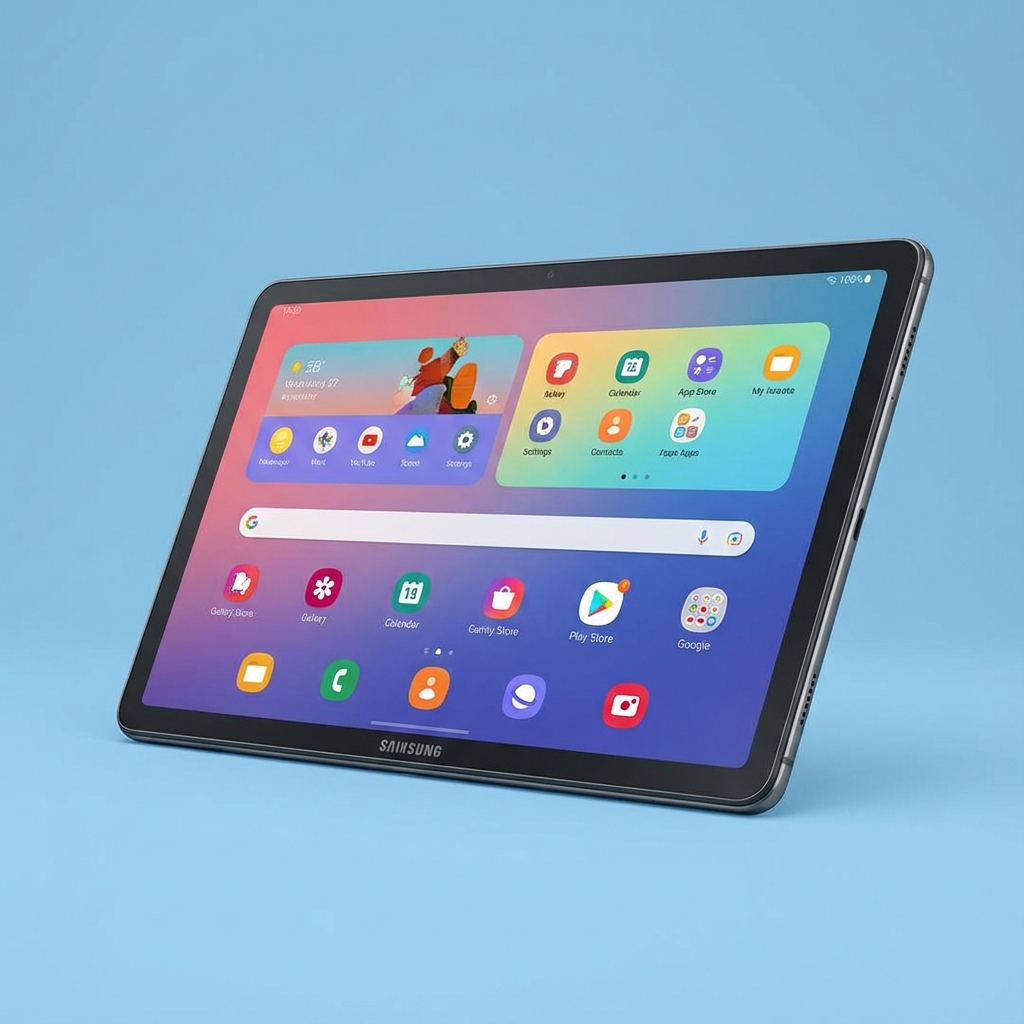
Budget tablets have historically been frustrating products—cheap enough to tempt, but too compromised to satisfy. The Samsung Galaxy Tab A9 Plus attempts to change that equation by delivering tablet essentials at a price that won't cause buyer's remorse. After two weeks of testing, I'm impressed by how well Samsung navigated the budget tablet challenge.
Who Needs a Budget Tablet?
Before reviewing the Tab A9 Plus specifically, let's consider the budget tablet use case.
Budget tablets excel for:
- Media consumption (streaming, reading, browsing)
- Light productivity (email, document viewing, basic editing)
- Kids' devices (educational apps, games, entertainment)
- Kitchen companions (recipes, video calls)
- Secondary devices alongside a primary laptop or phone
Budget tablets struggle with:
- Heavy multitasking
- Demanding games at high settings
- Professional creative work
- Primary work devices
If your tablet needs align with the first list, a budget tablet makes perfect sense. The Tab A9 Plus targets exactly these users.
First Impressions and Design
The Galaxy Tab A9 Plus makes a solid first impression despite its budget positioning.
Build Quality
The metal frame feels significantly more premium than the plastic bodies common at this price point. While not as refined as Samsung's flagship tablets, the Tab A9 Plus avoids feeling cheap.
At 480 grams and 6.9mm thick, it's reasonably portable without being flimsy. The size makes extended handheld use comfortable, though a case or stand is preferred for longer sessions.
Display
The 11-inch TFT LCD display is the expected compromise at this price—not the AMOLED Samsung is known for. However, it performs well within its class:
- 1920 x 1200 resolution (Full HD+)
- 90Hz refresh rate (surprisingly smooth)
- Adequate brightness for indoor use
- Reasonable color accuracy
The 90Hz refresh rate is a genuine advantage over 60Hz competitors. Scrolling feels noticeably smoother, making the experience more pleasant than specs might suggest.
Viewing angles are acceptable but show some color shift at extreme angles. Outdoor visibility is limited in direct sunlight—typical for LCD panels at this tier.
Speakers
Quad speakers provide surprisingly good audio for media consumption. They won't match dedicated Bluetooth speakers, but for tablet speakers, they deliver:
- Adequate volume for personal viewing
- Reasonable stereo separation
- Clear dialogue in video content
- Better than expected bass presence
Performance Reality Check
The Tab A9 Plus runs Samsung's own Exynos 1380 processor with 8GB of RAM. For the budget tablet use case, this configuration performs well.
Everyday Tasks
For typical tablet activities:
- App launching is quick
- Multitasking between 2-3 apps works smoothly
- Browser performance handles most websites well
- Email and document viewing is seamless
The 8GB RAM provides comfortable headroom for app switching without constant reloading. This is a genuine advantage over 4GB alternatives.
Media Consumption
Streaming performance is excellent:
- Netflix, YouTube, and Disney+ run perfectly
- Widevine L1 certification enables HD streaming
- No dropped frames or stuttering during playback
- Speakers and display combine for pleasant viewing
For couch streaming and bedtime watching, the Tab A9 Plus delivers exactly what's needed.
Light Gaming
Gaming performance depends heavily on the title:
Well-optimized mobile games (Candy Crush, casual titles): Perfect performance
Medium-demand games (older Call of Duty Mobile, Asphalt 9 on medium): Playable with occasional frame drops
Demanding games (Genshin Impact on high settings): Struggles significantly
The Tab A9 Plus is a casual gaming device. It handles tablet-optimized games well but isn't a gaming tablet. Set expectations accordingly.
Where Performance Falls Short
The Exynos 1380 shows its limits with:
- Heavy photo or video editing
- Multiple browser tabs with complex content
- Demanding apps or games
- Extended multitasking with heavy apps
These limitations are expected at this price point. Users with heavy computing needs should consider iPad or flagship Android alternatives.
Software Experience
The Tab A9 Plus runs One UI 6 based on Android 14, with Samsung's promised update support.
One UI Tablet Features
Samsung's tablet software adds genuine value:
- DeX mode: Desktop-like interface with keyboard ( though limited processor hampers heavy work)
- Multi-window: Split screen and floating windows
- Samsung Notes: Solid note-taking with stylus support (S Pen sold separately)
- Samsung Flow: Integration with Samsung phones and laptops
These features elevate the tablet beyond stock Android tablets at similar prices.
Bloatware Reality
Samsung pre-installs numerous apps, some useful (Samsung Notes, Galaxy Store) and some less so (various third-party trials). Most are uninstallable, and remaining bloatware is manageable.
Update Commitment
Samsung promises four years of major Android updates and five years of security patches. This commitment provides genuine long-term value compared to tablets with minimal update support.
Battery Life
The 7,040mAh battery delivers excellent endurance:
- Video streaming: Approximately 11-12 hours
- Mixed usage: Easily lasts full day
- Standby: Excellent, losing minimal charge overnight
The battery life makes the Tab A9 Plus reliable for travel or extended use without outlet anxiety.
Charging Speed
15W charging is slow—a full recharge takes approximately 2.5 hours. This is acceptable for overnight charging but inconvenient for quick top-ups. Budget tablets typically compromise on charging speed, and the Tab A9 Plus follows this pattern.
Camera Capabilities
Tablet cameras are rarely priorities, but the Tab A9 Plus covers basics:
Rear camera (8MP):
- Adequate for document scanning
- Acceptable video calls in well-lit environments
- Not suitable for serious photography
Front camera (5MP):
- Handles video calls acceptably
- Landscape placement is awkward for calls
- Quality sufficient for casual use
Don't buy this tablet for its cameras—use your phone instead.
Comparison with Alternatives
How does the Tab A9 Plus compare to other budget options?
Versus iPad 10th Generation
The base iPad offers better performance, App Store ecosystem, and display quality. But it costs significantly more and locks you into Apple's ecosystem. The Tab A9 Plus offers better value for Android users or those prioritizing budget.
Versus Amazon Fire Tablets
Fire tablets cost less but run Amazon's limited Fire OS. The Tab A9 Plus offers full Android with Google Play Store, vastly more app compatibility, and better performance. The price difference buys genuine capability.
Versus Other Android Tablets
The Tab A9 Plus competes well against Lenovo Tab M10 Plus and similar alternatives. Samsung's software support and tablet features often tip the balance.
Who Should Buy the Galaxy Tab A9 Plus?
Ideal for:
- Media consumption (streaming, reading, browsing)
- Kids who need a capable tablet for education and entertainment
- Users wanting a secondary screen for recipes, video calls, etc.
- Budget-conscious buyers who still want quality
- Samsung ecosystem users
Not ideal for:
- Heavy gaming
- Professional creative work
- Users needing premium display quality
- Those who need fast charging
- Buyers wanting flagship performance
The Value Proposition
The Galaxy Tab A9 Plus succeeds because it focuses on what budget tablet users actually need. It doesn't try to be a flagship in budget clothing—it delivers a genuinely good experience within realistic constraints.
The 90Hz display smooth, the speakers are surprisingly capable, the software is well-supported, and the build quality exceeds expectations. The performance limitations are predictable and acceptable at this price point.
Final Verdict
The Samsung Galaxy Tab A9 Plus is the budget tablet I'd recommend to most people. It handles the core tablet use case—media consumption and light productivity—with competence and even occasional delight.
The upgrade from entry-level tablets like Amazon Fire is meaningful. The savings versus flagship iPads or Galaxy Tab S series is substantial. For users in between, the Tab A9 Plus hits the sweet spot.
Score: 8/10
The Good:
- Excellent value for the price
- Smooth 90Hz display
- Quad speakers sound good
- Long battery life
- Samsung's software features and update support
- Metal frame construction
- 8GB RAM for comfortable multitasking
The Not So Good:
- LCD display limitations
- Mediocre cameras
- Slow 15W charging
- Limited gaming performance
- Some pre-installed bloatware
For budget tablet buyers who want a device that performs well without flagship cost, the Samsung Galaxy Tab A9 Plus is an easy recommendation.
Questions about the Galaxy Tab A9 Plus or budget tablets in general? Reach out through our contact page!